Your data
Save and restore a backup
Keep a JSON copy of your setup and review exactly what restoring it will replace.
Quick answer
Use Save backup to download a Shield AdBlock JSON file. Use Restore backup… to select an existing file, inspect its preview, and explicitly confirm the restore. Selecting a file does not immediately change your setup.
A manual backup includes saved settings, custom rules, site exceptions, blocking-source choices and recorded blocking counts. It is a copy of your setup, not an export of your browsing history or a portable copy of every downloaded filter cache.
Where to find it
Open Settings, then Backup in the Settings tools. You do not need to turn on Advanced Settings to use the backup controls.
What to do
To save your current setup:
- Choose Save backup.
- Find the dated
shield-adblock-backup-…jsonfile in your browser’s downloads. - Keep a copy somewhere you can find after changing profiles, moving computers or reinstalling.
To restore an earlier setup:
- Save a new backup first if you may want to return to the current setup.
- Choose Restore backup… and select your Shield JSON file.
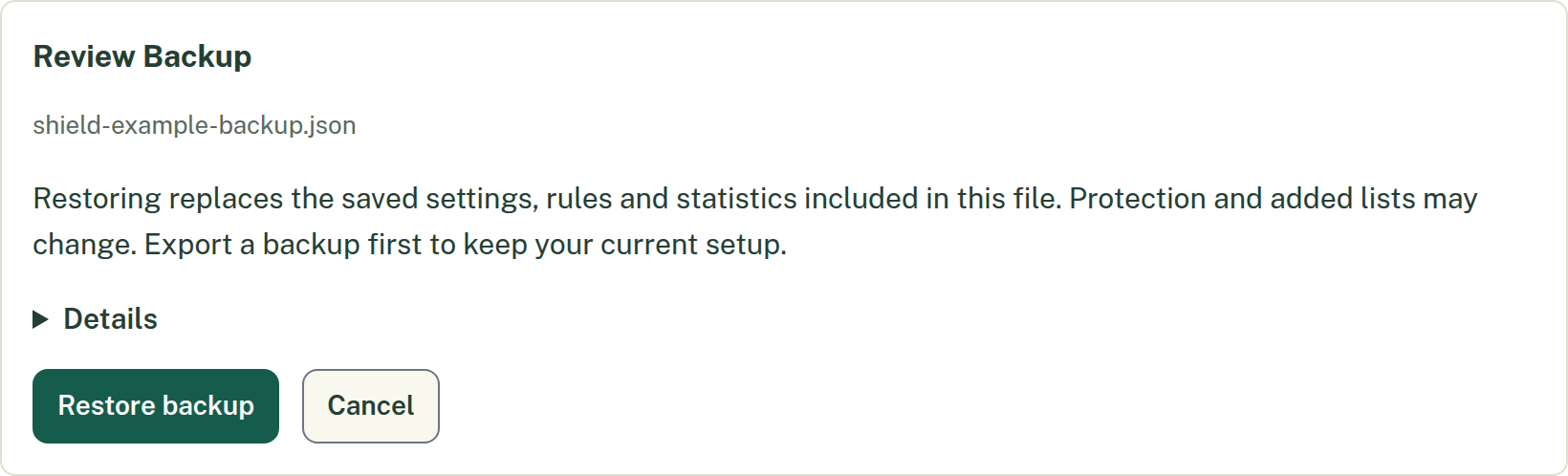
- Read Review Backup, including the filename and displayed contents. Restoring replaces the saved settings, rules and statistics included in the file; protection and added sources may change.
- Choose Restore backup to apply it, or Cancel to leave your saved data unchanged.
- After success, choose Reload Settings. Reload affected websites too.
What should happen
Saving creates a local file. Restoring validates the selected data and displays an error if it cannot be used. A saved export may warn that unreadable settings were omitted or reset; keep that warning in mind before treating the file as a complete recovery copy.
Derived filtering data is rebuilt during restoration. Added sources can need another update before all their protection is available. A backup does not grant browser permissions, restore removed browser files, or automatically turn on automatic backups on a fresh installation.
Undo
Cancel the preview before confirming if you chose the wrong file. After restoration, return to your previous setup by restoring the new backup you saved immediately before it. There is no general one-click undo for a completed restore.
If that does not work
Use the original downloaded JSON rather than a document or screenshot. Read the visible error and keep the file intact. If the file came from an automatic settings backup, it deliberately omits counts, so existing recorded counts are preserved rather than replaced.
Related
Need more help? Contact support and share a report, or use the support contact details.